

In 2026, managing multiple online accounts requires security, consistency, and scale. For cross-border e-commerce teams, affiliate marketers, QA engineers, and social media managers, isolating identities and controlling fingerprints is no longer optional—it’s essential.
BitBrowser is an advanced anti-detect browser built to separate browser identities, simulate real devices, and replicate mobile environments through its Cloud Phone feature.
This guide explains what BitBrowser is, who it’s for, how it works, how much it costs, and how to use itresponsibly in 2026.
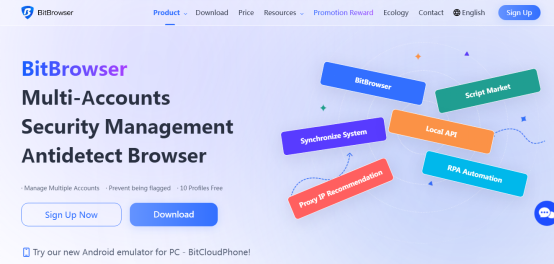
What Is BitBrowser?
BitBrowser is a multi-profile anti-detect browser that creates fully isolated browser environments, known as profiles. Each profile behaves like a separate physical device, allowing users to customize:
- Operating systems
- Browser engines (Chromium or Firefox)
- Timezones, languages, and fonts
- WebGL, sensors, and media devices
- Network settings and proxy connections
In addition, BitBrowser offers BitCloud Phone, a cloud-based Android environment that enables users to run mobile-only platforms, test Android apps, and simulate real mobile devices without physical hardware.
Who Should Use BitBrowser?
BitBrowser is designed for professionals who need account isolation, regional flexibility, and operational control, including:
- ✅ E-commerce teams managing multiple stores
- ✅ Affiliate marketers running multiple ad accounts
- ✅ Social media managers handling multiple profiles
- ✅ QA teams testing across clean environments
- ✅ Digital agencies managing multiple clients
Key Features at a Glance
| Feature | Description |
| Multi-Profile Browsing | Each profile operates as an independent device |
| Proxy Integration | Assign HTTP, SOCKS5, or SSH proxies per profile |
| Cloud Phone | Simulate Android devices with SIM and carrier data |
| Batch Tools | Import, export, and manage profiles at scale |
| Automation | Control profiles via Local API or RPA workflows |
| Team Management | Assign roles, limits, and permissions |
| Fingerprint Customization | Control browser and device attributes |
BitBrowser Pricing (2026)
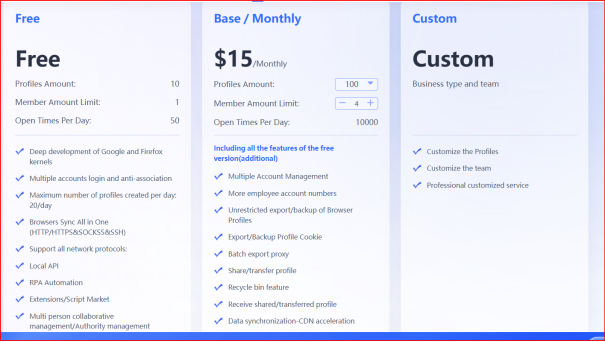
The Free Plan is permanent, making it suitable for testing and light usage.
BitBrowser vs. Traditional Browsers
| Traditional Browsers | BitBrowser |
| Share IPs and fingerprints | Assign unique IPs and fingerprints |
| Risk account linkage | Reduce cross-account detection |
| Offer limited automation | Provide built-in APIs |
| Lack team controls | Enable role-based management |
Getting Started with BitBrowser
Step 1: Install and Register
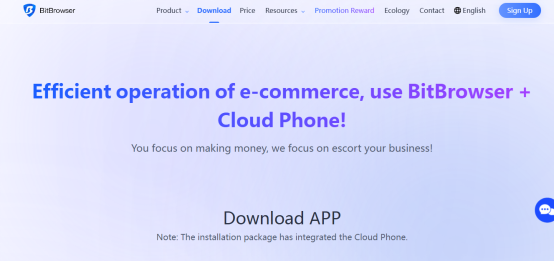
Download BitBrowser
- Create and verify an account
- Activate the free plan
Step 2: Create a Profile
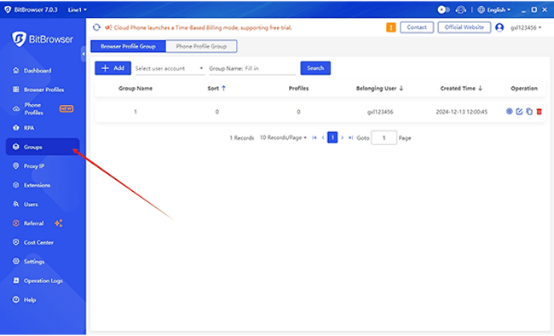
- Choose a browser engine
- Configure OS and resolution
- Set language, timezone, and location
Step 3: Assign a Proxy
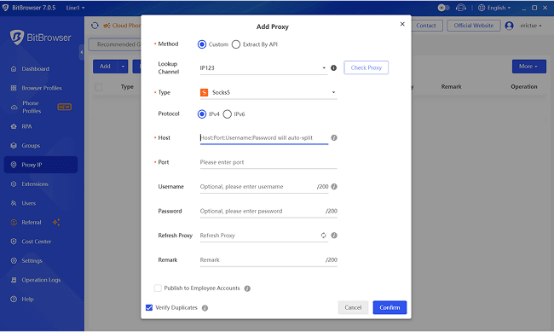
- Enter proxy credentials
- Test IP and geolocation
- Verify network stability
�� Residential or mobile proxies are recommended for social platforms.
Fingerprint Configuration
- Generate fingerprints automatically
- Adjust parameters manually when needed
- Test fingerprints using detection tools
Using BitCloud Phone
- Create a Cloud Phone instance
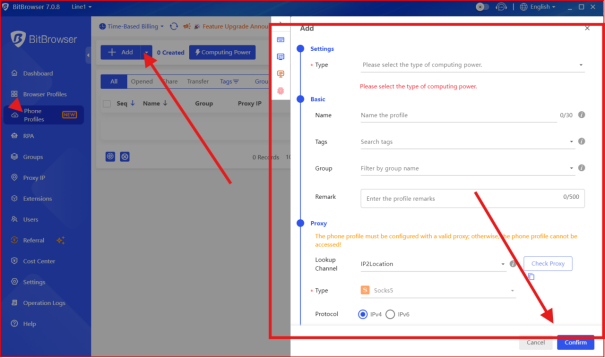
- Select carrier, SIM, and device data
- Install apps via Play Store or APK
Billing is per 24-hour cycle, making it efficient for short-term tasks.
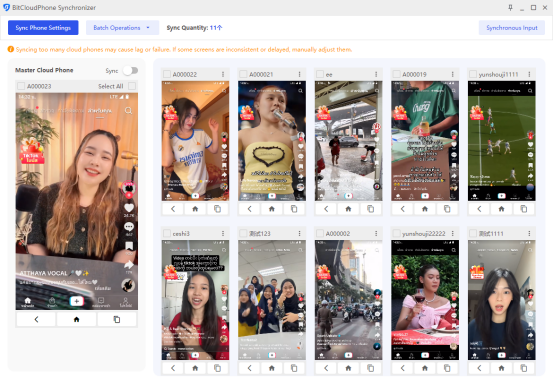
Batch Operations
- Prepare profile data in CSV format
- Import or update profiles in bulk
- Manage cookies and sessions collectively
Designed for scaling operations without increasing risk.
Team Collaboration
- Create sub-accounts
- Assign profile and credit limits
- Monitor usage and activity logs
Built for control, transparency, and accountability.
Automation via Local API
BitBrowser’s Local API allows users to:
- Launch and close profiles
- Automate logins and workflows
- Integrate with Python or RPA tools
Automation should always follow platform rules.
Practical Example: Managing Five Instagram Accounts
- Create five distinct profiles
- Assign five unique residential proxies
- Log in to one account per profile
- Use Cloud Phone for mobile-only actions
- Schedule actions at varied times
- Export cookies regularly
Choosing the Right Proxy
| Proxy Type | Best For | Risk |
| Mobile | Social and ads | Low |
| Residential | General use | Low–Moderate |
| Datacenter | Speed | High |
�� Rotate IPs and avoid behavioral repetition.
Security, Ethics, and Compliance
BitBrowser is intended for privacy and testing, not abuse:
- Follow platform policies
- Avoid spam and deception
- Use real identities where required
Responsible usage protects both accounts and reputation.
Troubleshooting Best Practices
| Issue | Solution |
| Account detection | Improve proxies and fingerprints |
| Performance issues | Reduce active profiles |
| Session loss | Export cookies frequently |
| New account bans | Warm up activity gradually |
Final Verdict: Is BitBrowser Worth It in 2026?
Yes—when used correctly.
BitBrowser delivers isolation, automation, and scalability in a single platform. Its permanent free plan, advanced fingerprint controls, Cloud Phone feature, and automation tools make it a reliable choice for multi-account professionals.
Results ultimately depend on smart configuration, quality proxies, and ethical usage.
Keep an eye for more latest news & updates on Techy Pure!
